
Description



Price: ₹3,199 - ₹1,776.00
(as of Sep 23, 2025 15:25:03 UTC – Details)
Product Description


1 Plug and play 2 HD 4K Quality 3 Power Delivery 4 Package List

4K HDMI Splitter Switch
Add to Cart
Add to Cart
Add to Cart
Add to Cart
Customer Reviews
4.2 out of 5 stars 258
4.3 out of 5 stars 591
4.1 out of 5 stars 488
4.1 out of 5 stars 488
Price
₹1,776.00₹1,776.00
₹1,284.00₹1,284.00
₹1,587.00₹1,587.00
₹2,421.00₹2,421.00
Ports
HDMI 2 in 1 out,USB 4 in 2 out
6*USB
HDMI 3 in 1 out
HDMI 5 in 1 out
Supported Resolution
4K@30Hz
None HDMI
4K@30Hz
4K@30Hz
Support Button Switch
✔
✔
✔
✔
Come with Remote Control
✘
✘
✔
✔
Support HDCP
✔
✘
✔
✔
USB port not recognizing device?
Please check that the two supplied USB-to-USB cables are connected correctly! (The last two USB ports of the switcher need to be connected to the USB ports of two computers, respectively.)
When switching back to the first PC, the first PC’s monitor is not visible.
If the screen of the switching source cannot be displayed normally, please connect the monitor separately and check whether the monitor’s resolution and refresh rate exceed the adapter’s maximum supported resolution.
Intermittent Work
If the adapter does not work properly when connected to multiple devices, please try to use a USB C 5V power supply to power the adapter to ensure that the power supply of the adapter is stable.
The product is not compatible with the system
The adapter itself is only connected as a hardware extension, and is supported on Windows/Mac/linuxOS, if the connection does not work properly please check if the connection cable is connected correctly.
Missing cables?
The checklist includes 1 HDMI KVM switch, 2 A-to-USB-A cables, 1 USB-C power cable, and 1 user manual. Kindly refer to the packaging diagram for verification. Any missing items will be replaced free of cost.
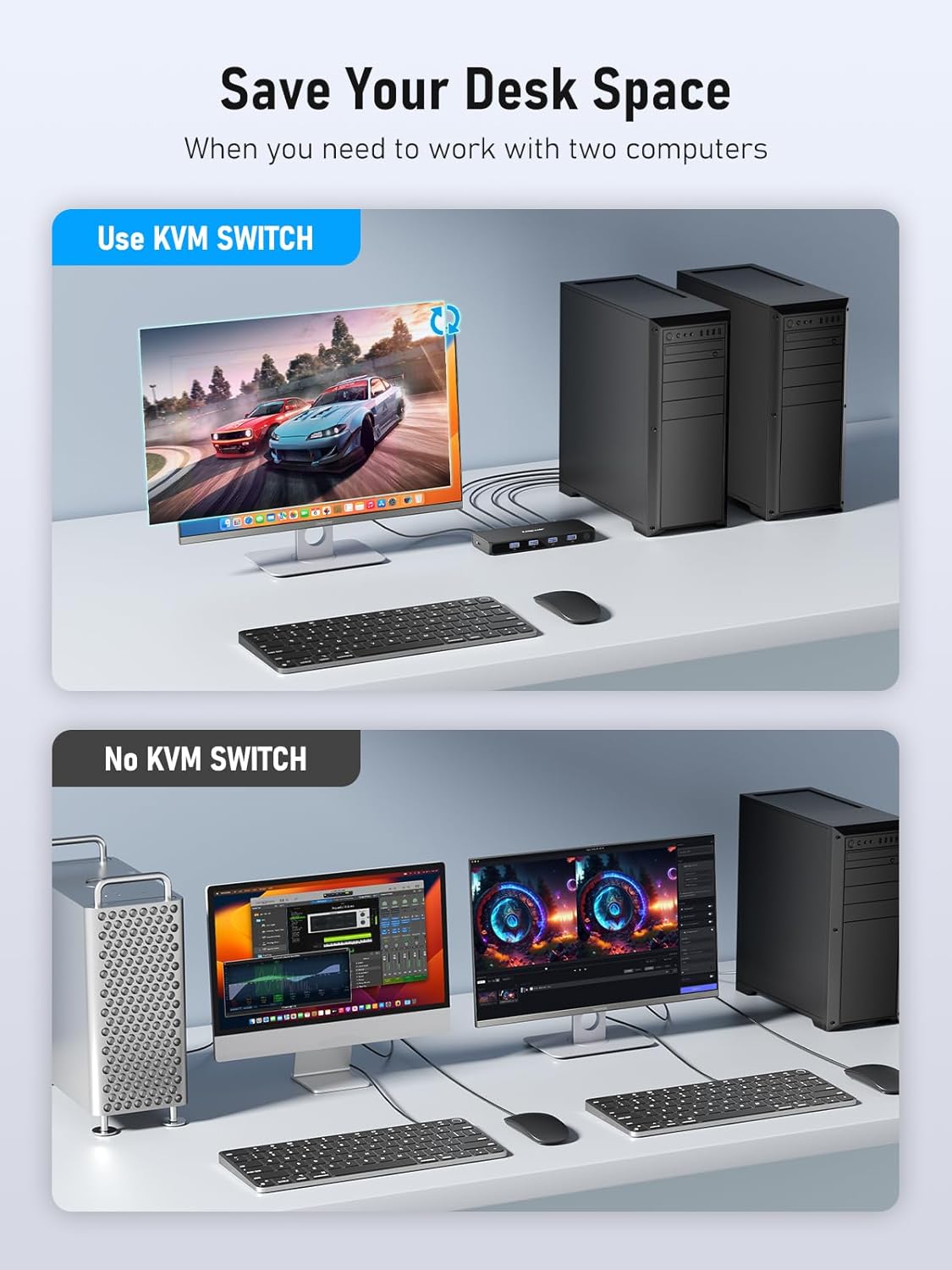
【Multi-Device Sharing】The Lemorele HDMI USB KVM Switch allows you to share up to 4 USB 3.0 device peripherals (printers, scanners, mice, keyboards, USB flash drives, hard drives, etc.) between 2 computers. You can also manage two computer hosts/gaming consoles without having to move from one workstation to another, saving space, power, and equipment costs. Tips: The device has a total of 6 USB ports, the first 4 are peripheral ports , and the last 2 are host connection ports
【One-click switching】No need to frequently plug and unplug cables or set up complicated network sharing software, you can switch back and forth between 2 computers in a second with the click of a button to increase productivity in the office or at home. And the kvm switch has good compatibility, works for Windows/Mac/Linux, etc., just plug and play.Tips:Only one host can be controlled at a time, as the KVM’s core function is host switching, not multi-host parallel control.
【HD 4K Visual Enjoyment】The HDMI KVM switch’s 4K@30Hz HDMI output delivers outstanding image quality; Users can watch HD video, edit high-resolution images, get more detailed and realistic visual effects. Enhancing the enjoyment of work and play.
【4*USB 3.0 HUB】Using Lemorele HDMI USB switch can greatly improve work efficiency, USB interface supports 5Gbp/s data transfer rate, can perfectly cooperate with high-bandwidth USB 3.0 devices, such as external hard disks, high-resolution webcams, cameras, video surveillance cameras, digital cameras, multi-channel audio, etc., and backward compatible with USB 2.0 and USB 1.1 devices.Tips:Certain specialized devices that require drivers, such as dongle and professional scanners,may need to have the drivers installed manually.
【Five-Step Connection Procedure】 ① onnect 2 USB-A to USB-A cables respectively between the device’s host connection ports and the USB ports of two computers. ② Plug the mouse and keyboard into the peripheral ports. ③ Connect the HDMI cable from the monitor to the HDMI output port of the device. ④ Plug in the power cable and switch on the power supply. ⑤ Press the switch button to test (each press switches to a host, with the corresponding indicator light turning on).
【PLEASE NOTE】 If your USB ports (the first four USB ports) do not recognize the external device, please check that the two USB to USB cables included are connected correctly! (The last two USB ports of the switcher need to be connected to the USB ports of two computers respectively).
【Permanent After-sales Service and Product List】✅Lemorele always offers one year product warranty, you can request unconditional return and exchange, and maintain a 24-hour online human customer service to welcome your inquiries at any time.Product list: 1*KVM Switch, 1*Power Cable, 2*USB-A to USB-A Cables, 1*Manual.For missing items, contact customer service immediately for resending.
Customers say
Customers find the HDMI KVM switch to be of top-notch quality and value for money, appreciating its seamless switchability between devices and usefulness for multiple systems. The functionality and connectivity receive mixed feedback – while some say it works flawlessly and enables sharing devices between systems, others report issues with USB peripherals not working and problems with the second input display port. The cable length is a concern as it requires two extra HDMI cables, and the delay aspect also gets mixed reviews.


Reviews
There are no reviews yet.