
Description


Price: ₹2,100 - ₹399.00
(as of Oct 21, 2025 03:13:33 UTC – Details)
Product Description
TweakShot Screen Capture

The most efficient way to capture your PC screen and record videos
● Don’t just capture high-quality screenshots but even record high-definition videos and audio with Tweakshot Screen Capture.
● TweakShot Screen Capture makes it super simple to annotate on the screenshots. You can add arrows, lines, steps, and even crop, Highlight and resize the images.
● TweakShot Screen Capture makes it super simple to annotate on the screenshots. You can add arrows, lines, steps and even change the text outline.
● With the dedicated video recorder, you can record capture screen videos and choose the desired frame rate and quality. You can even capture any desired region by using the presets given
● After you are done editing, you can upload screenshots on Google Drive, Dropbox, or OneDrive right from within the image editor.
● Customizable settings for adjusting functionality according to own comforts. For instance, you can delay screen capture, change mouse pointer, or click’s outlay.
Product Features

Screen Capturing And Recording
Capture high-quality screenshots or high-definition videos of everything that’s happening on your screen including the audio.
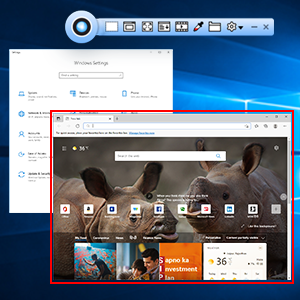
Active Window Screenshot
Select a particular region or area from the active window, which you want to capture.
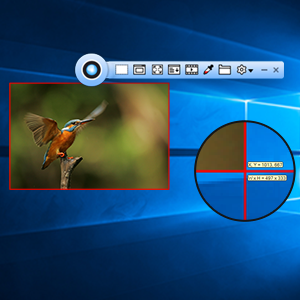
Capture or Record Any Desired Region
You can choose to capture a screenshot of an entire webpage or record a video of your desktop with or without the Taskbar, the choice is all yours.
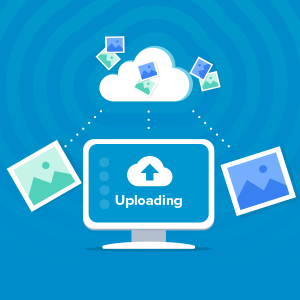
Upload On Cloud
TweakShot Screen Capture allows you to upload results on Google Drive, Dropbox, or OneDrive right from within the application.
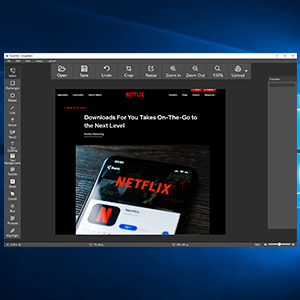
Built-In Image Editor
Needn’t go elsewhere for editing or annotating images. The in-built image editor provides you with a suite of rich image editing tools with the help of which you can edit your images.

Capture Pixel-Perfect Screenshots
Whether it is about picking the exact color or exact region, TweakShot Screen Capture goes down to the very pixel.
Applications of TweakShot Screen Capture | Ease Your Work To Increase Productivity

Business use
Make a demonstration video for your app, or capture a web conference for backup for later review. It also records voice commentary and webcam feed for more convenience.

Teaching and Training
Record online class lectures for e-learning and add annotations to them for better illustration. This video recording software can make your presentation become more vivid.

Studying
You can create stunning showcases and study material. This can be achieved by recording live streaming lectures, online webinars, and other similar events.

General Use
Other features offered by this PC screen recorder include saving the wonder video chat moment, recording a short video clip for troubleshooting and customer support, etc.
Best screen capture and screen recording software. It records single window, rectangular region, full desktop with or without the Taskbar. Not just that, you even get to control mouse movements as well.
The in-built image editor provides basic editing features like cropping, resizing, and highlighting, adding blur/ pixelate effect, etc.
TweakShot Screen Capture makes it super simple to annotate on the screenshots. You can add arrows, lines, steps and even crop, Highlight and resize the images.
One tool, several applications – TweakShot can be used for demonstrations while teaching, studying, offering customer support or increasing productivity while working.
Pick any desired color – The dedicated screen color picker lets you pick colors from the screen and images. You can also copy color codes and expedite your designing process.


Reviews
There are no reviews yet.